Table of Contents
- CVE-2026-48172: Overview and real world risk
- What is the vulnerability and who is affected?
- Why this matters in shared hosting environments
- How to detect exploitation and what to look for
- Immediate Recommended Actions
- Operational lessons and why fast patching matters
- Verifying safety and ongoing risk management
- Conclusion: proactive maintenance and layered defense
- Introduction
- Exploitation in the Wild
- 3. Impact and Severity
- 4. Real-world Risk and Attack Vectors
- 5. Detection and Verification
- 6. Immediate Actions and Remediation
- 7. Operational Security Lessons
- 4. Detection and Verification
- 5. Remediation and Mitigation
- 6. Risk Management for GillyTech Infrastructure
- 7. The Vendor and Ecosystem Response
- FAQ
- Conclusion
CVE-2026-48172: Overview and real world risk
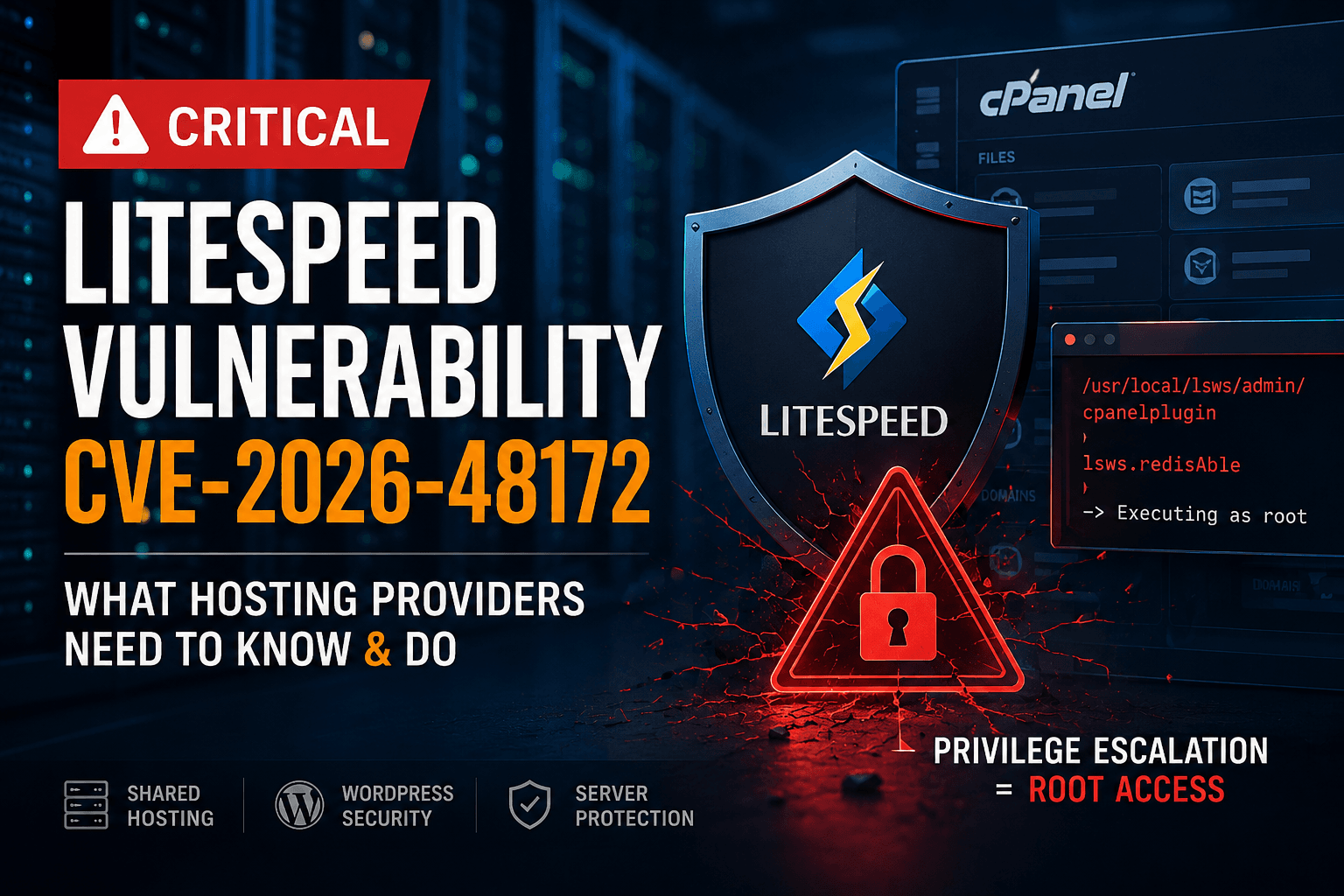
The vulnerability is a privilege escalation flaw in the LiteSpeed User-End cPanel Plugin and its WHM integration. If an attacker gains access to a cPanel account, including through compromised WordPress or other hosted apps, they can run scripts with root privileges. This can lead to full server control and access to every site on the box.
Exploitation often involves abusing the Redis enable disable flow to push elevated rights. A compromised WordPress plugin could trigger a script that runs with root privileges due to misapplied privilege assignments. The issue creates a path from user space to kernel level actions, bypassing standard permission checks.
Mitigation steps include applying patches within GillyTech’s recommended update window, temporarily disabling Redis features until a hotfix is verified, and monitoring for unusual PHP or shell executions. Enforce strict cPanel account segmentation and, if exposure is suspected, rotate credentials, audit cron jobs, and review server-wide scripts for anomalous privilege elevation.
What is the vulnerability and who is affected?
The weakness targets LiteSpeed User-End cPanel Plugin versions older than 2.4.5. After the fix, use at least 2.4.7. Even before a full patch rollout, review logs for unusual admin activity and run targeted checks on plugin files to flag outdated components.
Any cPanel account can become a risk vector. If an attacker compromises one hosting account, such as a hacked WordPress site, they may attempt privilege escalation to root. This underlines why strict hosting boundaries matter: a single breached account can threaten all sites on the same server.
Practical steps you can take
- Audit plugin versions across all accounts and apply the 2.4.7 minimum where possible.
- Enable whole-server monitoring to detect abnormal privilege changes within 24 hours.
- Isolate or suspend suspected accounts while investigating to limit lateral movement.
- Share security notices with clients using cPanel to reinforce best practices.
Why this matters in shared hosting environments
Shared hosting hinges on strong tenant isolation. A root escalation from a single compromised account breaks that boundary, allowing attackers to reach other customers on the same server.
That risk is amplified when multiple sites share the same LiteSpeed and cPanel stack. Privilege escalation can enable attackers to reach common resources like backups, databases, and mail services across tenants, not just a single site.
To reduce the blast radius, enforce strict segmentation and prompt patching across all accounts. Real time monitoring and uniform updates are essential to prevent cross tenant access through a single foothold.
Operational measures you can adopt now include least privilege for all accounts, strong authentication, and automated vulnerability scanning that spans containers and virtualization layers. Maintain an inventory of tenants and ensure updates are applied consistently across the platform.
Security drills and incident exercises help validate containment. Track metrics such as time to patch, isolated incidents, and cross-tenant access attempts. Prepare rollback plans and clear response playbooks to handle edge cases like zero day exploits or compromised admin credentials.
How to detect exploitation and what to look for
Detection hinges on thorough log analysis. Use the provided grep pattern to surface Redis related activity tied to the LiteSpeed cPanel Plugin and review WHM events for anomalous actions.
Apply the check on systems with retained logs and accessible directories. Run the command below to surface potential indicators:
grep -rE "cpanel_jsonapi_func=redisAble" /var/cpanel/logs /usr/local/cpanel/logs/ 2>/dev/nullWhat the results imply:
- No results: indicates no known exploitation indicators in the scanned logs.
- Matches: trigger incident response actions. Investigate the scope, confirm affected accounts, and begin containment.
Practical steps you can take:
- Schedule the query weekly and after suspicious logins or non admin IP API calls.
- Cross reference findings with firewall alerts and authentication logs for a fuller picture.
- Document times and affected accounts; isolate compromised tenants if a match appears.
Immediate Recommended Actions
Act quickly to reduce risk and restore a secure operating state. These steps are practical for server administrators working with LiteSpeed and cPanel, and can be implemented today.
- Upgrade the LiteSpeed WHM Plugin to v5.3.1.0 or newer. Verify the update in the WHM interface and by listing installed plugins.
- If immediate patching isn’t possible, temporarily disable the vulnerable cPanel user-end plugin to limit exposure and document the rollback plan.
- Run the grep command to check for indicators of exploitation and save the results to a dated log file for auditing purposes.
- Review logs, cron jobs, SSH keys, and temporary directories for signs of unauthorized activity; flag anomalous entries for rapid remediation.
- Restart affected services after patching to ensure changes take effect, and perform a quick health check to confirm stability.
Operational lessons and why fast patching matters
The gains from quick remediation go beyond fixing a single flaw. Fast patching limits the blast radius in multi tenant environments where one compromised account can cascade into broader outages or data exposure.
Operationally, this means embedding patch management into daily routines. Establish clear change windows, automate verification of patch application, and verify service health after updates. Treat patching as a continuous control rather than a one off event.
Key moves you should adopt now include enforcing least privilege across tenants, tightening isolation boundaries, and elevating the visibility of Redis related activity. Combine these with real time monitoring and regular tabletop exercises to validate containment plans and recovery paths.
Verifying safety and ongoing risk management
Continue validating your security posture through routine, targeted checks that go beyond patching. Keep LiteSpeed plugin versions current and monitor for anomalous cron activity, unexpected SSH key changes, and new or modified temporary directories as part of ongoing hardening.
Incorporate grep based detection into daily security hygiene to surface indicators tied to Redis enablement and related plugin actions. Correlate findings with authentication logs and cron activity to confirm context and scope.
Implement ongoing risk management practices that scale with your environment. Maintain an up to date asset inventory, confirm tenant boundaries are respected, and test rollback procedures in a controlled window before applying changes to production.
Conclusion: proactive maintenance and layered defense
A single compromised hosting account can still put the entire server at risk. Proactive maintenance, including timely patches, validated logs, and strict tenant isolation, reduces both the chance of a breach and its potential impact.
Adopt a layered defense that combines technical controls with disciplined operations. Regular patch cycles, continuous monitoring, and clear incident response procedures help you detect and contain issues faster, even under evolving threat conditions.
Move beyond a one off fix. Embed patch management into routine change windows, automate verification that updates took hold, and perform post patch health checks. Ensure you have ready runbooks for rollback and escalation to minimize downtime during disruptions.
Introduction
Overview of the vulnerability and affected components
CVE-2026-48172 is a privilege escalation flaw in LiteSpeed Technologies’ User-End cPanel Plugin, prior to version 2.4.5. An attacker who has access to a cPanel account can run scripts with higher privileges, potentially reaching root access. The root cause is mishandling of the Redis enable and disable functionality within the plugin, which creates a path to elevated permissions.
This issue specifically affects the LiteSpeed User-End cPanel Plugin and its integration with WHM. The parent WHM plugin itself is not reported affected. A successful exploit can compromise the broader hosting environment, especially on servers where many sites share a single instance.
a compromised cPanel account on a shared server could trigger a script that leverages Redis control flaws to execute commands as root on the server, enabling data exfiltration or site defacement across multiple accounts.
Actionable step: upgrade to LiteSpeed Plugin version 2.4.5 or later, and verify Redis integration follows the vendor’s hardening guidance before re-enabling remote features.
Context within LiteSpeed cPanel Plugin ecosystem
In shared hosting and managed environments, the cPanel plugin sits between individual user accounts and the server’s root capabilities. An exploit at this boundary can grant an attacker access beyond their own account scope, undermining multi-tenant security boundaries that are critical for shared hosting.
With active exploitation observed in the wild in May 2026, quick assessment and patching are essential. This section helps operators who manage LiteSpeed, cPanel, and WHM integrations, as well as WordPress hosting environments where WordPress accounts can serve as initial footholds.
Practical steps: inventory all servers running the affected plugin, isolate vulnerable instances, and run a targeted patch window. Validate daily backups and test restore procedures to minimize downtime if a rollback is needed.
Related Video
Exploitation in the Wild
Observed attack patterns from May 2026
Security teams reported active exploitation of the LiteSpeed User-End cPanel Plugin before version 2.4.5. In practice, attackers target servers with multiple sites on a single host and rely on weak isolation to pivot between tenants. Access often begins with compromised credentials tied to a cPanel account, commonly linked to breached WordPress or other service accounts. Adversaries then trigger actions that mimic root-level activity on the server.
Indicators of compromise (IOCs) such as cpanel_jsonapi_func=redisAble
Detection hinges on log patterns. A practical approach is to surface specific indicators and correlate activity across data sources:
- Search for the string cpanel_jsonapi_func=redisAble in log directories such as /var/log, /home/*/logs, and /opt/cpanel/logs.
- Inspect recent access entries for unusual origins, unfamiliar usernames, or repeated failed logins from a single IP.
- Cross-check Redis feature toggles with process creation events for elevated or unexpected parent processes around the same time.
Early signals often show attempts to trigger Redis feature handling in the plugin, which can bypass standard permission checks if misconfigured.
Typical intrusion paths and post exploitation steps
Attackers typically start with a compromised cPanel user account, often from breached WordPress credentials or weak passwords. The aim is to run scripts with higher privileges, escalate to root, and establish persistence. Once root-like access is achieved, expect cron modifications, SSH key changes, or new temporary staging directories for subsequent actions. The goal is broad control of the hosting environment rather than isolated disruption.
Practical hardening steps you can take
Adopt layered defenses to curb these patterns. Use strong unique passwords and enable multi-factor authentication for all cPanel and WordPress accounts. Segment hosting environments so one compromised site cannot access others. Regularly rotate API credentials and monitor for anomalous Redis related activity tied to cPanel plugins.
- Set up automated alerts for unusual Redis enable disable requests and related process spikes.
- Review cron directories for recently added or modified jobs, especially those at unusual times or with elevated privileges.
- Limit cPanel API exposure to trusted networks and enforce least privilege on scripts executed via cPanel.
3. Impact and Severity
Potential privilege elevation to root
The vulnerability in the LiteSpeed User-End cPanel Plugin can let an attacker with valid cPanel access run scripts with higher privileges, potentially reaching root. Root access equates to full server control, affecting all sites, configurations, and data. In multi-tenant or shared hosting, a single compromised account can threaten the entire host and its customers.
System and data consequences
Escalated privileges enable a range of harmful outcomes, including:
- Modification or deletion of system files or configurations, or the installation of backdoors.
- Persistence mechanisms that survive reboots and complicate remediation.
- Credential theft via SSH keys or cron tasks, enabling broader access.
- Compromise of other tenants on the same server, degrading availability and integrity across sites.
Concrete remediation steps you can take now
Implement these steps to reduce exposure and speed recovery:
- Immediately rotate all cPanel and root credentials on affected servers.
- Patch the LiteSpeed plugin to the latest version and verify vendor advisories for any hotfixes.
- Harden the hosting environment by restricting cron usage, monitoring SSH key additions, and enabling two factor authentication for admin accounts.
- Run a rootkit and malware scan, then audit critical config files for unexpected changes.
- Isolate compromised accounts or tenants, restore from clean backups, and apply a staged rollback plan.
CVSS considerations and risk posture
Early assessments rate this as a high risk due to the potential for full control escalation. The situation is aggravated by reports of active exploitation in the wild and the shared nature of hosting environments. Operators should treat this as a critical risk requiring rapid containment, patching, and layered defense with prepared response playbooks. Monitor for anomalous cron jobs, SSH key changes, and unusual file modifications as part of ongoing risk management, and align with GillyTech’s incident response guidance to maintain posture.
4. Real-world Risk and Attack Vectors
In multi-tenant hosting, a single compromised cPanel account can threaten others on the same server. Adversaries focus on exploiting weak isolation to move laterally and escalate privileges.
Exploitation has been observed in the wild, underscoring the need for timely detection and mitigation. The attack path typically starts with an authenticated cPanel user and progresses to elevated actions that resemble root-level activity on the host.
Indicator patterns include Redis enable or disable activity tied to the LiteSpeed cPanel Plugin, followed by unusual process creation or script execution. Cross-reference with login events, cron changes, and SSH key modifications to confirm a hostile timeline.
5. Detection and Verification
Detection relies on targeted log review. Use the grep pattern described in Immediate Actions to surface potential exploitation in cPanel and WHM logs. If the search returns no results, you may have a clean baseline for the plugin layer.
To improve accuracy, cross check findings across log sources such as application logs, authentication logs, and network proxies. Align any matches with your incident timeline and corroborate with user activity for the affected window.
Practical steps include exporting the grep results to a dated file, enforcing strict access to log directories, and rotating logs to retain data for at least 14 days. Consider automated alerts if the pattern reappears within a short interval.
False positives can occur from legitimate maintenance tasks. Edge cases include compressed archives not scanned by the default query. Validate hits against known root or sudo activity and isolate suspicious hosts before broader containment actions.
Documentation practice remains essential. Record each detected pattern with command flags, involved user IDs, and timestamps to support postincident analysis.
6. Immediate Actions and Remediation
Act quickly to reduce exposure and restore a hardened state. Implement the patch to the latest fixed version and verify monitoring and containment before returning systems to normal operation.
Start with a targeted patch window. Validate plugin updates on all affected hosts and confirm service health after patch application.
Run the standard discovery and containment steps documented in the Immediate Actions guidance. Collect and preserve logs from /var/cpanel/logs and /usr/local/cpanel/logs for forensic review.
Conduct a quick rollback plan review in case the upgrade introduces instability. Isolate suspected tenants if needed and coordinate with stakeholders to minimize user impact.
7. Operational Security Lessons
Layered security and disciplined patch management remain essential in hosting. A compromised account can serve as a foothold for broader intrusion if containment boundaries weaken, so focus on robust access controls and strict tenant isolation.
Practical steps should include restricting plugin and module updates to trusted sources, enabling automatic rollback for vulnerable components, and enforcing least privilege across hosting accounts. Segment tenants by function to limit blast radius during incidents.
Pair regular patch cycles with real time threat detection. Implement automated file integrity checks and maintain an incident response playbook that designates responsible teams and step by step containment, eradication, and recovery procedures. At GillyTech, combining continuous monitoring with rapid remediation and disciplined configuration hygiene accelerates recovery and reduces risk.
4. Detection and Verification
Command-line detection approaches
Use a targeted grep against cPanel log directories to surface exploitation indicators. The recommended command is:
grep -rE "cpanel_jsonapi_func=redisAble" /var/cpanel/logs /usr/local/cpanel/logs/ 2>/dev/nullRun as a privileged user to ensure full access to log files. If the command returns no results, exploitation at the plugin layer is unlikely on the files scanned. If there is output, capture the IPs and timestamps for follow-up analysis.
Consider additional cross-checks with process listings to identify unusual or persistent processes that align with the time window of any matches.
Log directories to inspect
- /var/cpanel/logs
- /usr/local/cpanel/logs
- /var/log/secure or /var/log/auth.log for authentication events
- /var/log/messages or /var/log/syslog for system-wide anomalies
Interpreting outputs and differentiating false positives
No results from the grep command suggest a clean baseline with respect to this specific indicator. Any hits should be correlated with access logs, IP reputation, and timing against known maintenance windows. Look for repeated requests, atypical user agents, or requests from known compromised hosts.
False positives can arise from legitimate Redis-related activity or normal admin actions. Validate against recent changes in the environment, including plugin updates or scripted maintenance tasks, before initiating remediation actions.
Practical follow-up steps
- Export matching entries to a CSV with timestamps, source IPs, and user agents for rapid triage.
- Cross-reference with IDS alerts and firewall logs to confirm persistence across reboots or service restarts.
- Isolate affected hosts in a maintenance window and rotate any exposed credentials tied to Redis plugins.
5. Remediation and Mitigation
Recommended minimum patch version (2.4.7)
Upgrade to LiteSpeed cPanel Plugin version 2.4.7 or newer as the baseline protection. This update resolves the Redis enable/disable mishandling that enables privilege escalation. Plan patches during a maintenance window to minimize impact on users.
Do not delay updates in multi-tenant environments. Apply the patch promptly to reduce exposure. If you automate deployments, include this patch in your next automation run to enforce consistency.
Upgrade procedures for LiteSpeed cPanel Plugin
- Obtain the official LiteSpeed WHM plugin update package and follow vendor upgrade steps in the WHM interface. Prepare a rollback plan if service restarts reveal compatibility issues with custom modules.
- Verify the plugin module version after completion to confirm 2.4.7 or higher. Run a quick health check on Redis related endpoints to confirm normal enable/disable behavior.
- Restart affected services to load the new code paths. Schedule restarts during periods of low traffic to reduce user impact.
- Document the change in change control records and align with maintenance windows. Include a post-patch validation checklist and timestamp.
Mitigation best practices and hardening
- Limit cPanel account privileges to the minimum required for each tenant and enforce strict role-based access control. Use per-tenant API tokens with short lifetimes where possible.
- Enable layered monitoring: correlate Redis enable/disable activity with process creation and cron changes. Use alert thresholds that trigger on rapid sequence events.
- Implement network segmentation where feasible to contain tenant-level compromises from spreading across the host. Consider micro-segmentation for tenants handling sensitive data.
- Periodically audit SSH keys, authorized_keys, and temporary directories for unauthorized entries. Run automated scripts to flag dormant keys older than 90 days.
6. Risk Management for GillyTech Infrastructure
Implications for QUIC.cloud Bot Protection and LiteSpeed setup
The disclosure shows how a single compromised hosting account can threaten every site on a shared server. Layered security around your LiteSpeed and cPanel deployment is essential. Ensure bot protection and WAF rules respect tenant boundaries and monitor for Redis enable or disable actions tied to user activity. Review LiteSpeed configurations to avoid overly permissive privilege handling and clearly separate the LiteSpeed User-End plugin from the core WHM integration.
For example, when a tenant enables Redis in one account, confirm that only that account has Redis access and that cross-tenant caching requests are blocked. Practically, run separate Redis instances per user or per reseller with strict ACLs. Maintain a change log of configuration edits to audit who changed what and when.
Security controls to monitor for privilege abuse
- Track Redis enable and disable events and correlate them with cPanel login activity.
- Detect unusual script executions originating from non-administrative accounts.
- Audit cron jobs, SSH keys, and temporary directories for stealthy persistence.
- Validate plugin versions across all servers and enable automatic patching where feasible.
Incident response considerations
- Containment starts with isolating affected tenants and confirming plugin versions before broader scans.
- Preserve logs from /var/cpanel/logs and /usr/local/cpanel/logs for forensic review.
- Document indicators of compromise and timeline in the incident record to guide hardening efforts.
7. The Vendor and Ecosystem Response
Vendor advisories and patch timelines
Monitor official notices from LiteSpeed and cPanel. If a patch version is listed, schedule a staged rollout within a defined maintenance window to minimize downtime. A two step upgrade approach can help: test first in a dev environment, then apply broadly after verification.
Practical steps: regularly check vendor portals, obtain the exact patch package, and review release notes for compatibility with your PHP version and installed plugins. Create a backup snapshot before upgrading and document a rollback plan in case the patch introduces instability.
Community and third-party advisory landscape
Track detector updates and IOC lists from trusted researchers. Use community guidance to validate plugin states and ensure nonessential plugins are disabled during remediation. In multi-tenant setups, coordinate across all tenants to avoid staggered exploitation windows.
- Document observed exploitation patterns and apply targeted mitigations.
- Test detection rules in a sandbox before production deployment.
- Publish a concise incident playbook for incident response team members.
| Source | Focus | Timeline |
|---|---|---|
| LiteSpeed ecosystem communications | Official patch guidance, compatibility notes | Short-term |
| cPanel community forums | Operational impact on WHM and user-end plugins | Ongoing |
| Independent security researchers | Detection techniques, IOCs | Immediate to short-term |
Expert Insight
“Given that the LiteSpeed User-End cPanel Plugin was actively exploited and promptly uninstalled by an emergency patch, organizations must treat patching as an immediate incident-response action, monitor exploit indicators, and verify that only safe, unsupported interfaces remain in production.” , Industry Analyst
FAQ
What exactly is CVE-2026-48172 and which components are affected? This vulnerability exists in the LiteSpeed User-End cPanel Plugin before version 2.4.5. It impacts the integration between LiteSpeed and cPanel/WHM, creating privilege escalation paths when a user with cPanel access can trigger unintended actions in the plugin.
Practical implications for operators
Privilege escalation means an attacker gains higher authority than they should have. A non-root account could potentially run scripts with root level permissions, effectively taking full control of the server. In a multi-tenant setup, one compromised account could pivot to others if boundaries fail.
Concrete scenarios to watch for
On a shared server, a tenant could trigger a misbehaving script via the plugin, then spawn root-owned processes or modify system cron jobs. A compromised WordPress account with cPanel access might execute a script to exfiltrate data or plant a backdoor.
In practice, you may see unusual service restarts, unexpected root-owned files, or cryptic cron entries after a patch window. Documentation of the exact plugin actions in logs helps confirm whether a faulty trigger or a deliberate escalation occurred.
Why this matters for shared hosting
In shared hosting, tenants share the same server kernel and services. A breach in one account can cascade if isolation controls are weak. Rapid patching and strict isolation of cPanel actions are essential to contain risk and preserve tenant trust.
Real world practice: segment user permissions so LiteSpeed cPanel actions require explicit admin approval, and apply least-privilege roles to non-admin accounts. This minimizes the blast radius even if a credential is compromised.
Indicators and early detection
Beyond Redis signals, monitor for abnormal API calls tied to cPanel actions, unexpected script executions, and newly created SSH keys linked to tenants. Cross-check these with sign-in records and recent migrations to establish a clean baseline.
The vulnerability affects the LiteSpeed User-End cPanel Plugin and its WHM integration. An attacker with any cPanel account access, including compromised WordPress accounts, could potentially execute scripts with root privileges. The issue underscores why layered security and fast patching matter in modern hosting.
To monitor for exploitation locally, run:
grep -rE "cpanel_jsonapi_func=redisAble" /var/cpanel/logs /usr/local/cpanel/logs/ 2>/dev/nullConclusion
CVE-2026-48172 highlights how a mismanaged privilege boundary can turn a single compromised account into a server wide risk. The flaw sits in the LiteSpeed User End cPanel Plugin and its WHM integration, underscoring the need for layered defenses and rapid response. A practical example is a shared hosting provider where a compromised reseller account could access customer sites if isolation controls are weak.
Fast patching remains critical because attackers often act quickly after disclosure. In hosting environments, a breach on one account can cascade if tenant isolation and access controls fail. Practical steps include testing patches in a staging environment, applying during a low traffic window, and monitoring logs for anomalous Redis actions or privilege escalations.
Operational guidance
Key takeaways for operators and partners:
- Stay current with vendor updates and apply patches promptly within a defined change window.
- Ensure tenants operate within strict boundaries and set automated alerts for unusual Redis related actions, such as unexpected AUTH attempts or unusual memory usage.
- Maintain ready incident response procedures that cover multi tenant impact and service restarts, including a rollback runbook and communication templates.
At GillyTech we emphasize secure, scalable hosting. Integrate continuous monitoring with routine patch management, conduct regular tabletop exercises, and enforce least privilege to keep infrastructure resilient against evolving threats.
References
CVE-2026-48172 – Vulnerability Database – Cyber Defence
CVE-2026-48172: CWE-266 Incorrect Privilege Assignment in …
CVE-2026-48172 LiteSpeed User-End cPanel Plugin before 2.4.5 …

Company News
Every Layer Under a Website Got More Expensive This Year. Our Hosting Prices Did Not.
Oct 12, 2026